
Configure nopCommerce Discount - On Shopping Cart Quantity
Buy Now🛠️ Installation & Configuration
To ensure proper functionality, this plugin requires the NopAdvance.Core plugin is to be installed first. Please follow the instructions on how to install a plugin as you proceed with the setup.
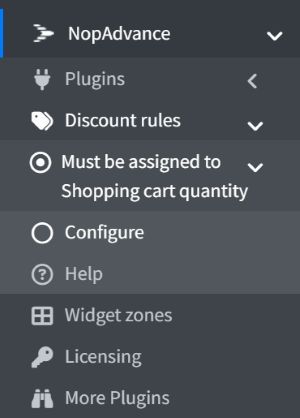
Once the plugin has been installed, you will see the plugin menu under NopAdvance > Discount rules > Must be Assigned to Shopping Cart Quantity in your nopCommerce admin menu, similar as displayed in the image below.
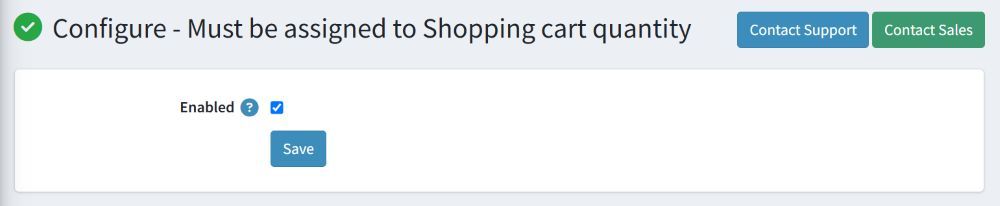
Selecting the Configure menu item will bring up the configuration page. Simply enable the plugin to activate it, as shown in the image below.
💡How to use
This discount requirement can be used with any other discount type.
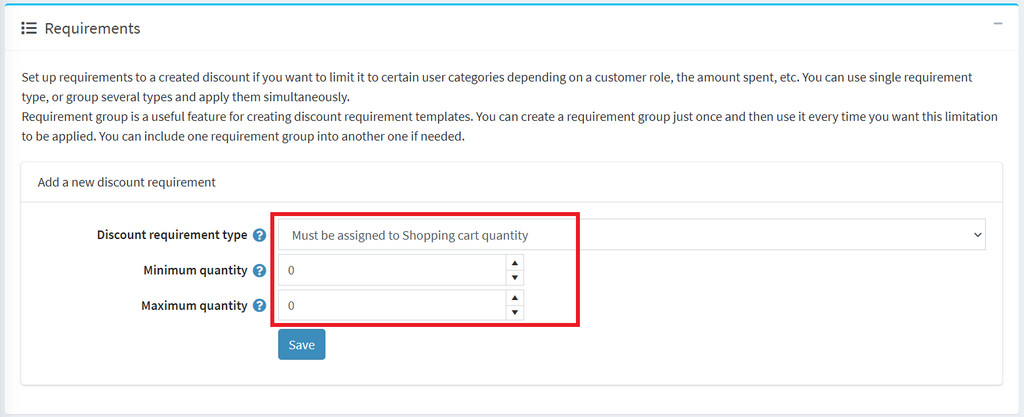
To use this discount rule, the discount requirement type should be configured as Must be assigned to Shopping cart quantity and need to provide values for Minimum quantity & Maximum quantity on which you want this discount rule to be applied as displayed in the image below. The minimum quantity should be always less than maximum quantity.
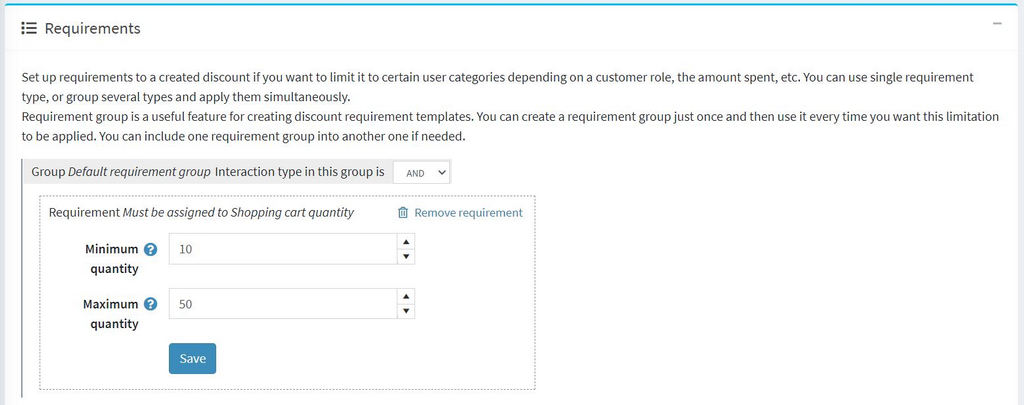
Once saved, the discount requirement will be added to the discount as displayed in the image below.
That's all you need to do in order to use this discount requirement in your nopCommerce store.