
Installation and configuration - Manufacturer Based Discount Condition
Buy NowThe Must Have Products from Selected Manufacturers feature extends the default nopCommerce discount functionality by allowing store owners to apply a discount only when products from specific manufacturers are present in the customer's shopping cart.
This feature works together with the default nopCommerce discount system and adds an additional validation rule. The discount will be applied only if the customer’s cart contains at least one product from the manufacturers selected by the administrator.
This helps store owners create manufacturer-based promotional campaigns and encourage customers to purchase products from specific manufacturers.
Key Highlights
- Manufacturer-based discount condition: Allows discounts only when products from selected manufacturers are present in the shopping cart.
- Works with default nopCommerce discounts: Extends the existing nopCommerce discount system without replacing default functionality.
- Flexible manufacturer selection: Administrators can select one or multiple manufacturers.
- Easy configuration from the discount page: The rule can be configured directly from the default nopCommerce Discount Edit page.
- Plugin enable/disable control: Administrators can enable or disable the plugin from the Configure page.
- Supports coupon-based discounts: Works with coupon codes along with manufacturer conditions.
- Improves targeted promotions: Helps store owners run promotions for specific manufacturers.
- Encourages manufacturer product sales: Customers are encouraged to purchase products from selected manufacturers to receive discounts.
Installation and Configuration
All our plugins require you to first install the NopAdvance.Core plugin as a prerequisite for its operation. Please refer to the instructions on how to install a plugin while proceeding with the setup.
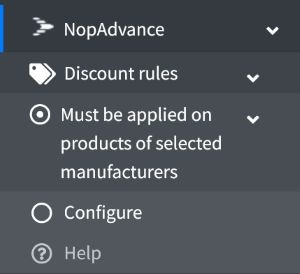
Once installed, the Must have products from selected manufacturers menu will appear under NopAdvance > Plugins in your NopCommerce admin panel, as shown in the image below.
How the Feature Works
- The customer must add at least one product from the selected manufacturers to the shopping cart.
- If a product from the selected manufacturer is present in the cart, the discount will be applied.
- If no product from the selected manufacturers is present in the cart, the discount will not be applied, even if a valid coupon code is entered.
Plugin Configuration
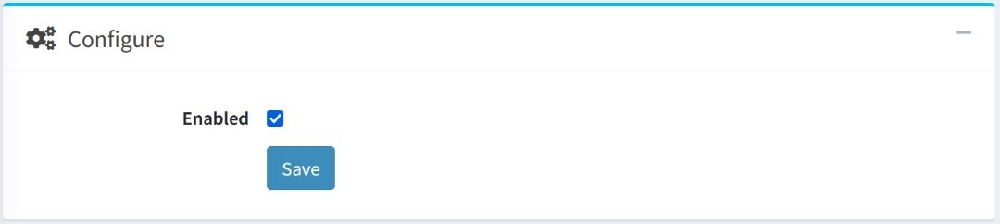
Selecting the Configure menu item will open the configuration page. From this page, administrators can enable or disable the plugin functionality.
How to Use
- Go to Admin → Promotions → Discounts
- Create a new discount or edit an existing one
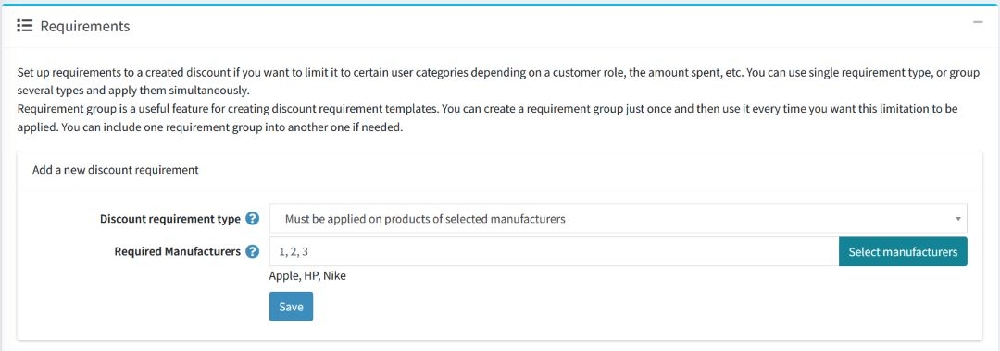
- Select Must Have Products from Selected Manufacturers as the Discount Requirement Type
- Select the manufacturers that must exist in the customer's shopping cart
- Save the discount
The discount will apply only when at least one product from the selected manufacturers is in the cart.
If none of the selected manufacturers are present in the cart, the discount will not be applied.
That's all you need to do in order to use this discount requirement in your nopCommerce store.